
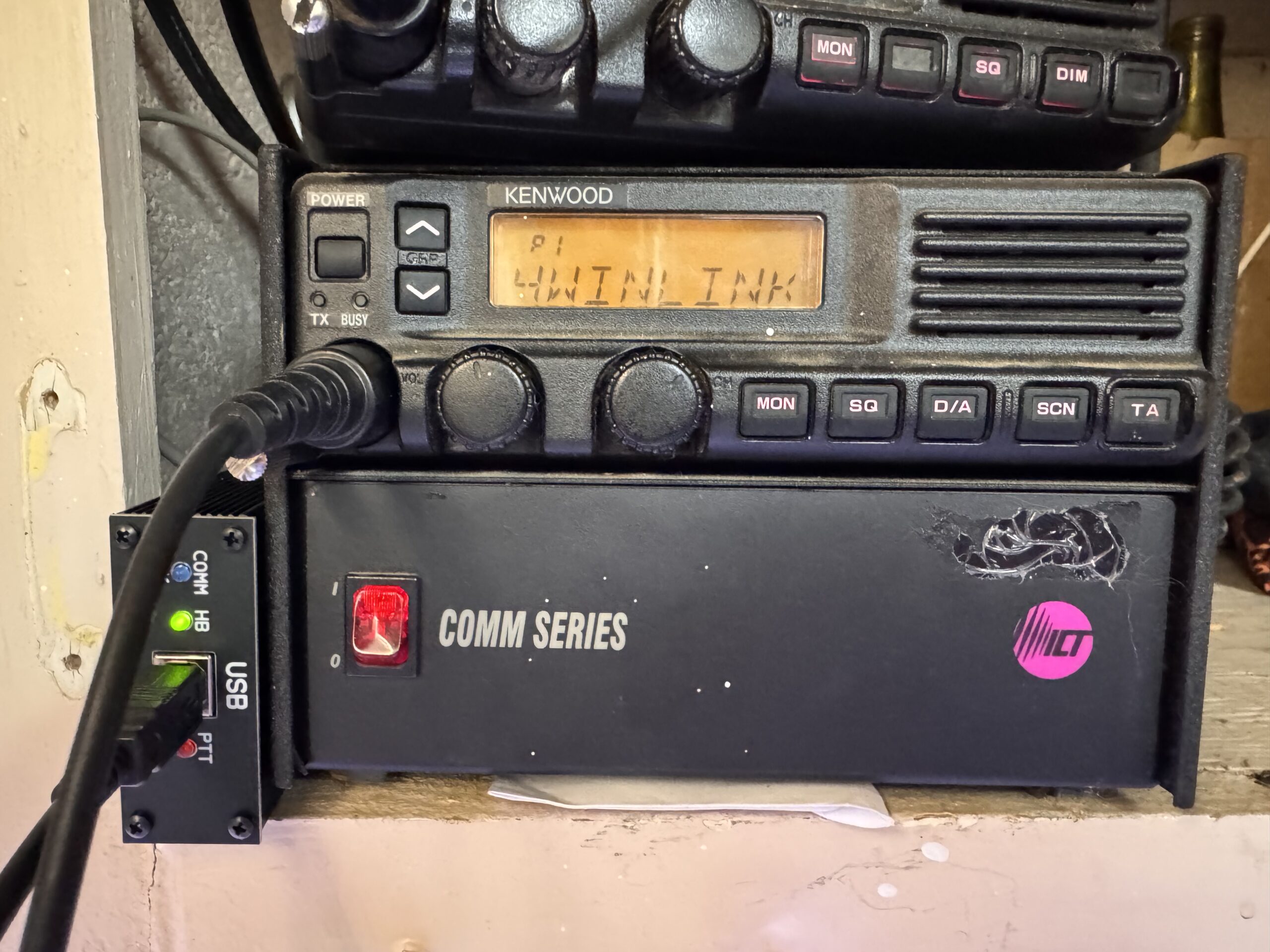
Another old commercial radio gets a new job!
I’ve been working on getting a Masters Communications DRA-50M properly interfaced with a Kenwood TK-790H for VARA FM Wide/Winlink. The hardware combination is actually very straightforward once everything is configured correctly—but there is one very important KPG-44D accessory-port setting that had me chasing my tail for a while.
The setup is:
Computer → USB → DRA-50M → Mini-DIN cable → Masters Kenwood-25 Adapter → TK-790H DB-25 accessory connector
Masters Communications Hardware & Documentation
DRA-50M Digital Radio Adapter
https://masterscommunications.com/products/radio-adapter/dra/dra50m.html
DRA Series Information & Documentation
https://www.masterscommunications.com/products/radio-adapter/dra/dra-index.html
Kenwood 25-Pin Adapter — TK-790/TK-890
https://www.masterscommunications.com/products/radio-adapter/kenwood25/kenwood25.html
DRA-50M Jumper Settings
https://masterscommunications.com/products/radio-adapter/dra/txt/dra50m-jumpers.txt
The Masters Kenwood-25 adapter is specifically intended to interface radios including the TK-790/TK-890 family with the standard Mini-DIN connection used by the DRA.
1. Set the Kenwood-25 Adapter for Pin 13
On the Masters Kenwood-25 adapter, set the:
TXA Select jumper → 13
For the TK-790H, this uses the radio’s accessory/data transmit-audio input instead of feeding VARA audio through the front microphone connector.
That is exactly what we want for VARA FM Wide.
2. The Big Gotcha: PTT Is AI3, Not AI1!
This is the setting that finally got mine working.
In KPG-44D, go to:
Edit → Function Port → Input
Set:
Radio 1 AI3 = Ext PTT
This is important because the Masters adapter’s PTT connection arrives at the TK-790H on the programmable accessory input corresponding to AI3.
Originally I had:
AI1 = Ext PTT
The DRA would show that it was attempting to key—the PTT light would flash—but the TK-790H would just sit there in receive.
Changing it to:
AI3 = Ext PTT
and writing the configuration back to the radio immediately fixed the problem.
So if you have this combination and:
The DRA PTT light comes on but the TK-790H does not transmit…
CHECK AI3!
That one setting can save a lot of troubleshooting.
3. Enable Front Microphone Muting
There is another useful KPG-44D setting, especially if you plan to leave the regular Kenwood microphone connected.
Under the radio’s optional features, enable:
Ext PTT w/MIC Mute
The idea is simple:
When the DRA keys the radio through External PTT, the TK-790H mutes the front microphone audio.
That prevents background noise or anything picked up by the microphone from being mixed into your VARA transmission.
The normal microphone can still remain connected for regular use.
For a radio that might occasionally be used for both voice and digital, this is a particularly nice feature.
4. Other TK-790H Settings
For my dedicated VARA FM Wide channel I used:
- Bandwidth: Wide
- Compander: OFF
- Busy Channel Lockout: OFF
- QT/DQT: OFF, unless specifically required
- ANI/PTT ID: OFF
- Scrambler: OFF
- Scan: OFF/Delete
- Time-Out Timer: long enough for digital sessions
The basic philosophy is:
Turn off anything intended to process, alter, or add signaling to normal voice audio.
VARA wants a clean path through the radio.
5. DRA-50M Configuration
For VARA FM Wide, the DRA-50M should use the radio’s wide/discriminator receive-audio path.
My relevant DRA settings are:
- JU3: Removed
- JU5: A / Right TX channel
- JU7: B / 9600 RX
- PTT jumpers: Relay/R position
- JU6: Installed for relay PTT
The complete DRA-50M jumper reference is here:
6. VARA FM Setup
In VARA FM:
- Select the DRA USB sound device for input.
- Select the DRA USB sound device for output.
- Use RA Board hardware PTT, not VOX.
- Use the wideband/discriminator audio path.
Also check Windows sound-device properties.
Disable things such as:
- AGC
- Audio Enhancements
- Signal Enhancements
- Other automatic microphone/audio processing
We want VARA receiving the actual radio audio—not Windows trying to make it sound nicer for a Zoom call.
7. Tune the Receive Level
Open the TK-790H squelch so VARA can see raw receiver noise.
Adjust the DRA receive control while watching VARA’s level indication.
For this setup, we were aiming for roughly:
-10 to -11 dBFS with open-squelch noise
Once that is set, leave the RX control alone rather than adjusting it for every individual station.
8. Tune the Transmit Side
Start conservatively with the DRA transmit-audio level.
Too little audio means poor performance.
Too much audio means transmitter limiting and distortion—which can actually make VARA slower rather than faster.
A service monitor or deviation meter is the best way to set this. A target around 2–3 kHz deviation, with approximately 2.25 kHz being a useful starting point, works well for VARA FM.
9. VARA FM Auto Tune
Once RX and TX are basically correct, run VARA FM Auto Tune against a strong station.
Remember:
Higher SNR is better.
If you can tune against a station showing somewhere in the upper 20s or 30+ dB SNR range, that gives Auto Tune a much cleaner environment to work with.
Don’t obsess over getting a particular VARA TX-level number.
What matters is:
Clean modulation + good SNR + successful high-speed connections.
Quick Setup Reference
Masters Kenwood-25 Adapter
TXA → 13
Adapter documentation:
https://www.masterscommunications.com/products/radio-adapter/kenwood25/kenwood25.html
KPG-44D
Function Port → Radio 1 AI3 → Ext PTT
Optional Features → Ext PTT w/MIC Mute → ON
TK-790H Data Channel
Wide bandwidth
Compander OFF
BCL OFF
Unnecessary signaling OFF
DRA-50M
JU7 → B / 9600 RX
JU5 → A / Right TX
Relay PTT
DRA documentation:
https://masterscommunications.com/products/radio-adapter/dra/dra50m.html
Full DRA information:
https://www.masterscommunications.com/products/radio-adapter/dra/dra-index.html
Jumper reference:
https://masterscommunications.com/products/radio-adapter/dra/txt/dra50m-jumpers.txt
The biggest lesson from this little project was the PTT accessory-port mapping.
Once AI3 was programmed as External PTT, everything suddenly started behaving like it was supposed to.
And now an older commercial-grade Kenwood TK-790H has been successfully dragged into the modern world with VARA FM Wide.
The TK-790H officially has a new job.
Leave a Reply